
Let the trend do the work.
Fully automated.
TrendGuard Pro Auto EA enters when the Supertrend flips and its filters agree, sizes every trade by risk %, protects it with an ATR stop and lets winners run with an ATR trailing stop. It trades one chart or a whole portfolio.
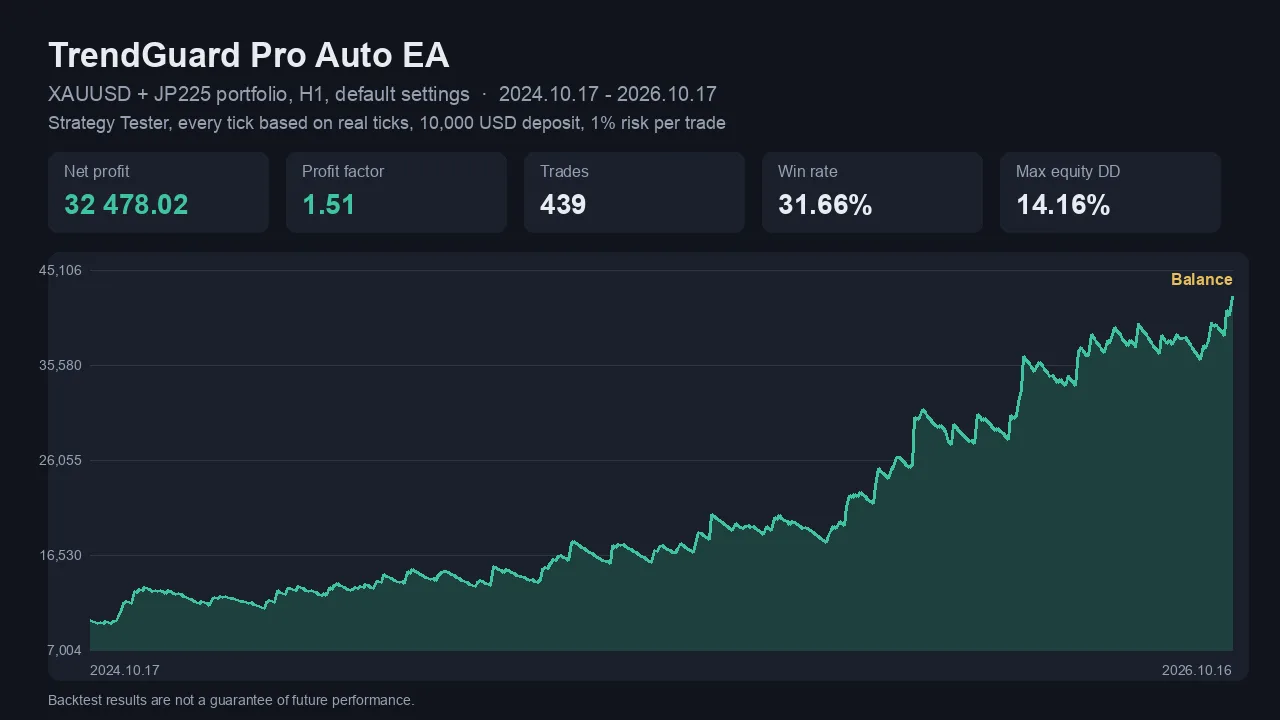
Strategy Tester backtest, every tick based on real ticks, XAUUSD + JP225, H1, default settings, 1% risk per trade, Oct 2024 – Oct 2026. Past performance does not guarantee future results.
See it in 74 seconds
The balance curve, the year-by-year result, the chart signals and the multi-symbol dashboard.
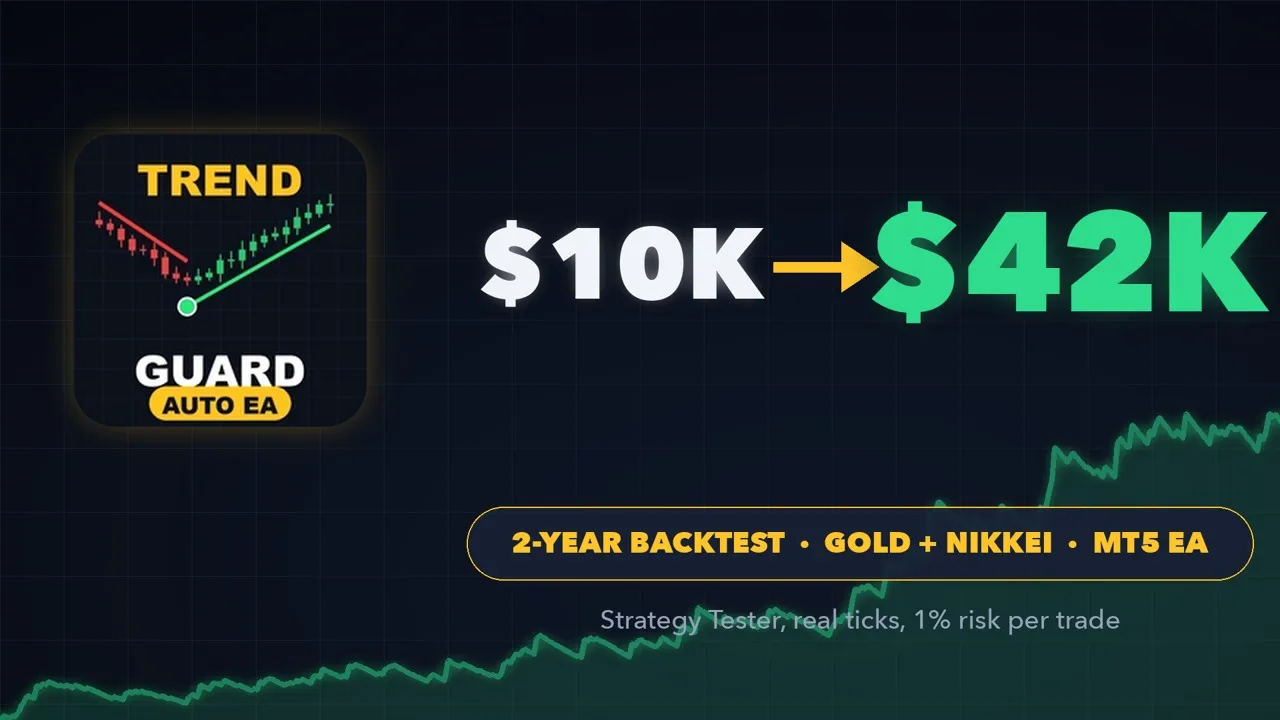
Chosen on year 1. Checked on year 2.
The settings were picked on the first year of data only. The second year was used to check them – and it was profitable too.
Profits compound at 1% risk per trade, so later trades are larger. Full method and every test: backtest results.
Built to run on its own
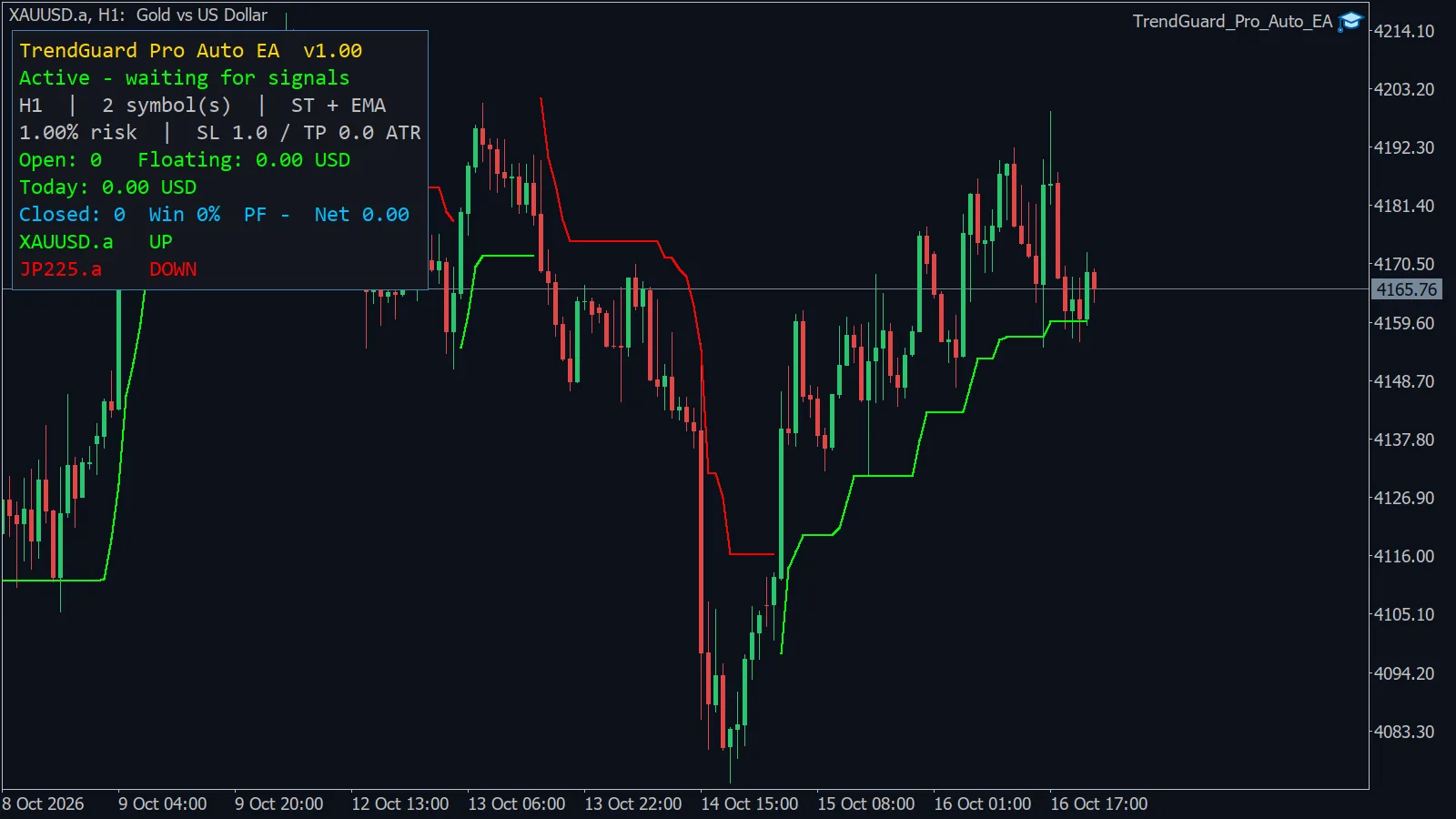
Attach it to a chart, choose your risk, and the EA handles entries, position size, stops and exits.
Portfolio from one chart
Leave Symbols empty for the chart symbol, or list XAUUSD,JP225 (or any symbols). Each gets its own signal engine. Broker suffixes like .a or m are found automatically.
Risk-% position sizing
The lot is calculated from the stop distance so a stopped trade loses your chosen % of the balance. Broker min / max / step, volume limit and free margin are checked first.
Let winners run
ATR stop loss on every trade, a 3× ATR trailing stop and exit on the opposite Supertrend flip. Optional take profit, breakeven and time exit.
Confirmation filters
Supertrend only, Supertrend + EMA, or all filters: EMA, trend EMA stack, slope, RSI, ADX, volume, daily VWAP, Bollinger, MACD and smart candle.
Built-in protection
Daily loss limit, max positions per symbol and in total, max spread, trading hours and a trading-session check. Closed bars only – no repainting.
Market-validated
Passed MQL5 automatic validation. No DLLs. Works on hedging and netting accounts, any broker, any timeframe chart.
Know what it is doing
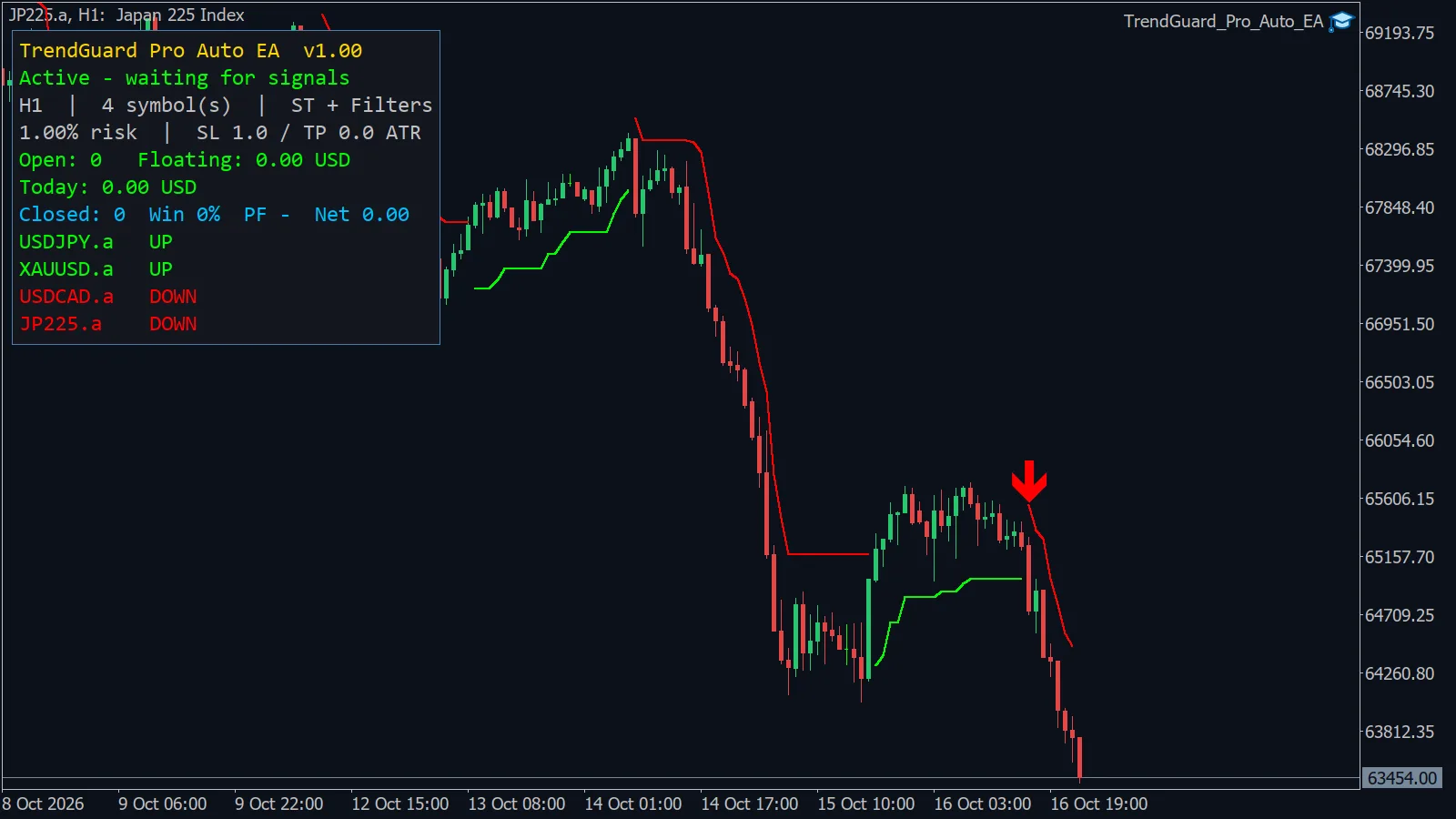
Status, open positions, floating and today's P/L, closed-trade statistics and the trend of every symbol – on the chart, at a glance. If Algo Trading, the account or the symbol does not allow trading, the panel tells you why.
Pick the one that suits you
Same two-year real-tick test, 10,000 USD, 1% risk per trade.
Gold + Nikkei
Gold only
4-market filtered
These settings were found to work on gold and the Nikkei 225. They did not work on every market – most FX pairs and US indices lost with them – so test your own symbols in the Strategy Tester first.
Start in four steps
- Buy or rent TrendGuard Pro Auto EA on the MQL5 Market (or download the free demo for the Strategy Tester).
- Open an XAUUSD chart in MetaTrader 5 and drag the EA onto it. Enable Algo Trading.
- For the gold + Nikkei portfolio, set
Symbols=XAUUSD,JP225. Keep risk at 1% or lower. - Run it on a demo account first, then on a VPS for 24/5 operation. Details in the user guide.
FAQ
Does it trade one symbol or many?
Both. With Symbols empty it trades the chart symbol. With a list such as XAUUSD,JP225 it trades every symbol in the list from one chart, each with its own signals, stops and position limit.
Which markets and timeframe should I use?
The defaults use H1 signals. In two years of testing they worked best on gold (XAUUSD) and the Nikkei 225 (JP225). Lower timeframes and most FX pairs did not work with these settings.
How much money do I need?
Risk is a percentage of the balance, so any size works as long as the broker's minimum lot fits. With very small accounts a gold trade at 0.01 lot may need more margin than available – the EA then skips the trade and logs why.
Is it a martingale or grid?
No. One position per symbol, a stop loss on every trade, no averaging down, no grid.
Can I test it before buying?
Yes. The MQL5 Market lets you download a free demo that runs in the MetaTrader 5 Strategy Tester.
TrendGuard Pro Auto EA
Sold and delivered through the official MQL5 Market – licence, updates and activations are handled by MetaQuotes.